Free sticker pack · 8 stickers
Bunny stickers
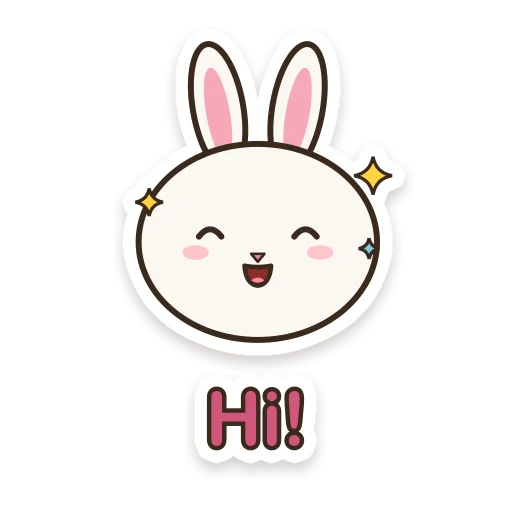
A white bunny with long pink ears and the gentlest expressions in the library. Eight free stickers for WhatsApp, Telegram and Discord.
Tap any sticker to save just that one.
Bunnies are the softest voice in a sticker tray. This rabbit is white with tall pink-lined ears and a tiny nose, and its expressions are deliberately gentle: even the shocked face looks more surprised than alarmed.
What is in the pack
A sparkly Hi!, heart eyes, a kiss with a floating heart, a giggling hehe, a crying bunny, a shocked face, a sleepy bunny and a winking yay with flowers. The kiss is the one for partners and best friends.
Soft replies
The bunny is for moments that need tenderness: good-morning messages, "thinking of you", congratulations. The crying bunny is sympathetic rather than dramatic, so it fits real sadness as well as small disappointments.
Light backgrounds, dark mode
A white character can vanish on a white chat background. That's why every sticker in the library has a thick white outline and a soft shadow: on light themes the dark line art carries the shape, and on dark themes the white edge does. If you make your own white-subject sticker, keep a dark outline or a shadow for the same reason.
For a photo of your own rabbit, the photo to sticker maker works best on a contrasting background, since a white bunny on a white floor is hard to cut out.
How to add the stickers to your app
Pick your app in the menu above, then download the whole pack as a ZIP or tap single stickers. Every file is converted in your browser to the size that app expects.
The WhatsApp download gives you eight 512 × 512 WebP files and a 96 × 96 tray icon. To use one sticker, open a chat, go to the sticker tray and choose Create, then pick the saved image; it stays in your tray afterwards. To install all eight as one pack, import the files with a sticker-pack app. WhatsApp packs need between 3 and 30 stickers, so this pack fits as it is.
Telegram
Choose Telegram to get 512 × 512 PNG files. Open a chat with the official @Stickers bot, send /newpack, give the pack a name, then send each PNG as a file followed by an emoji that matches it. Finish with /publish and pick a short link name. The pack is then yours to share.
Discord
Choose Discord to get 320 × 320 PNG files, the exact size Discord asks for. In Server Settings, open Stickers and upload them one by one. You need permission to manage expressions on that server, and each server has a limited number of sticker slots that grows with Server Boosts.
Can I use them?
Yes, for your own chats, groups and servers. The artwork was drawn for Stikmi. Please don't resell the stickers or upload them to sticker stores as your own pack.
Questions about this pack
Will a white bunny sticker show up in dark mode?
Yes. The bunny has dark line art and every sticker has a white outline with a soft shadow, so it reads on light and dark chat backgrounds.
How do I make a sticker of my white rabbit?
Photograph it on a darker, plain background so the background removal can tell rabbit from floor, then use the photo to sticker maker.
More free sticker packs
 Hamster stickers
 Cat stickers
 Dog stickers
 Dinosaur stickers
 Duck stickers
 Capybara stickers
 Frog stickers
 Bear stickers
 Bunny stickers
 Penguin stickers
 Thank you stickers
 Reaction stickers
 Sad stickers
 Christmas stickers
 Birthday stickers
 Laughing stickers
 Love stickers
 Good morning stickers
 Good night stickers
 Angry stickers
Want a sticker of your own photo? Make one with the photo to sticker maker.